Admin Action

Manage employees

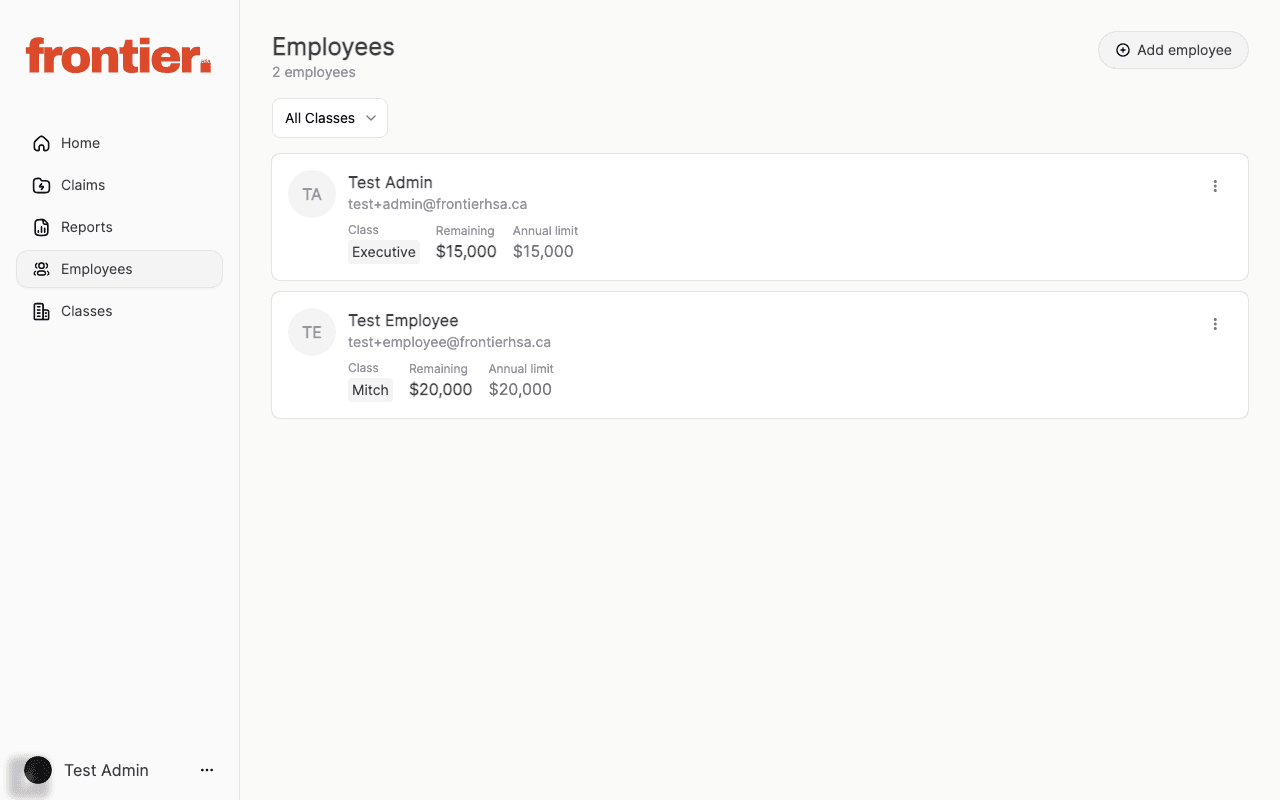
Use the Employees area to review roster details and onboard new team members.

Steps

  1. 1.Open Employees from the admin navigation.
  2. 2.Review class, remaining, and annual limit details for each employee.
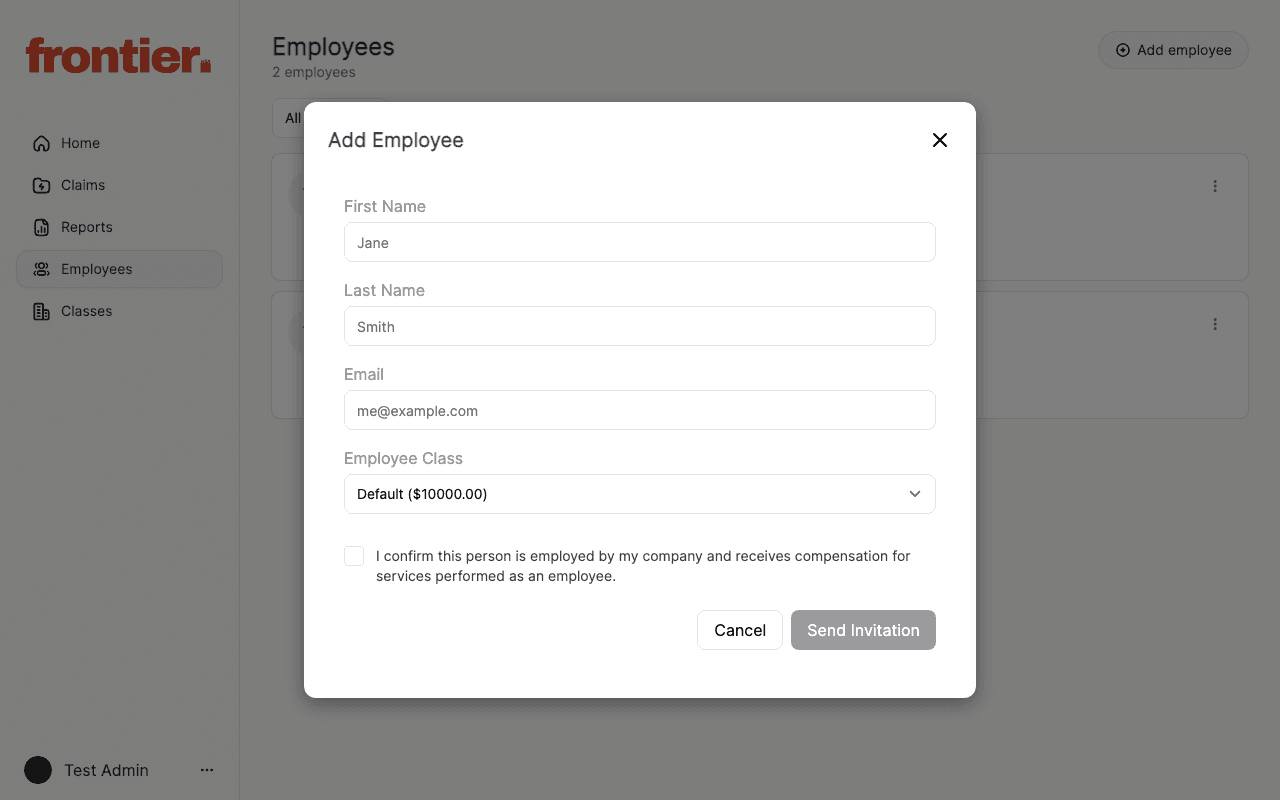
  3. 3.Click Add employee to open the invitation modal.
  4. 4.Complete invite details, class selection, and confirmation checkbox.

Supporting screenshots

Employee roster with class and allowance visibility.
admin

Employee roster with class and allowance visibility.

Add employee modal used for onboarding invitations.

admin

Add employee modal used for onboarding invitations.