Employee Action

Submit a new claim

Use Claims and the New Claim upload modal to send receipts for reimbursement.

Steps

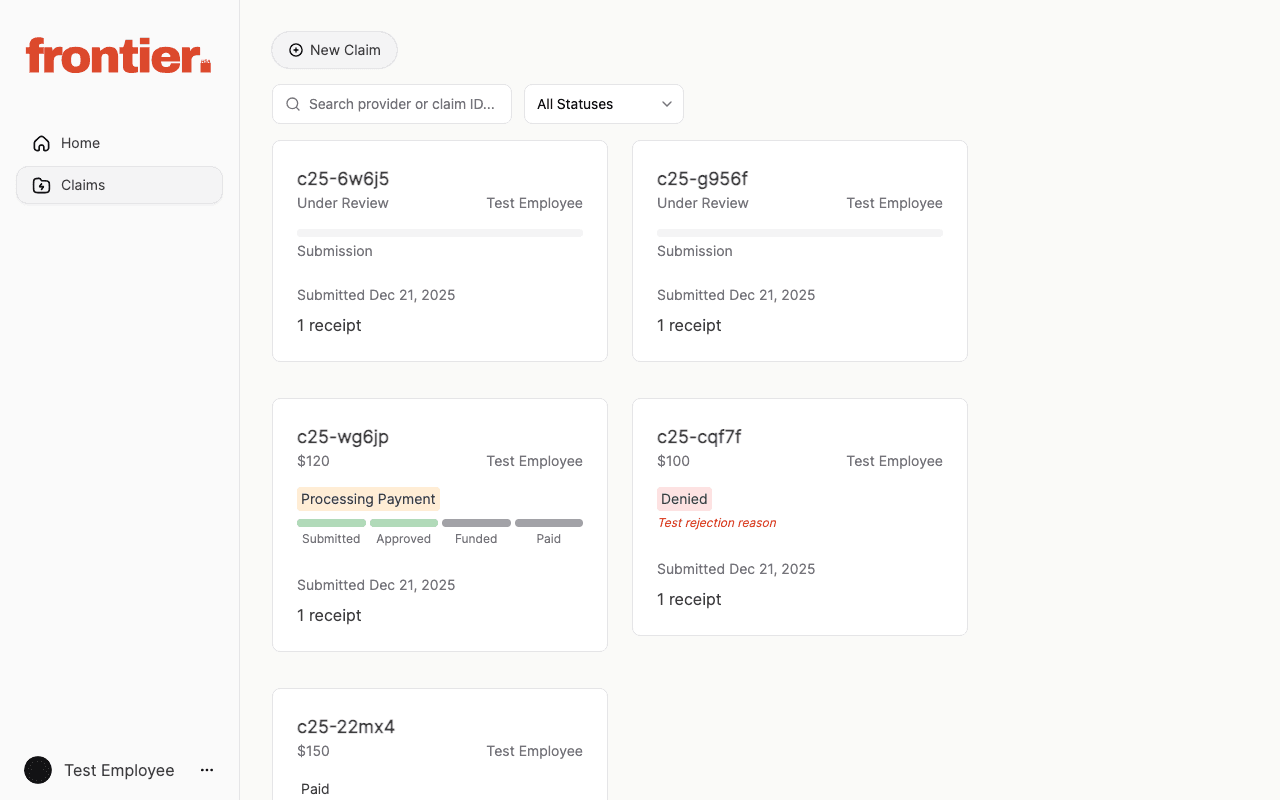
  1. 1.Open Claims from the left navigation.
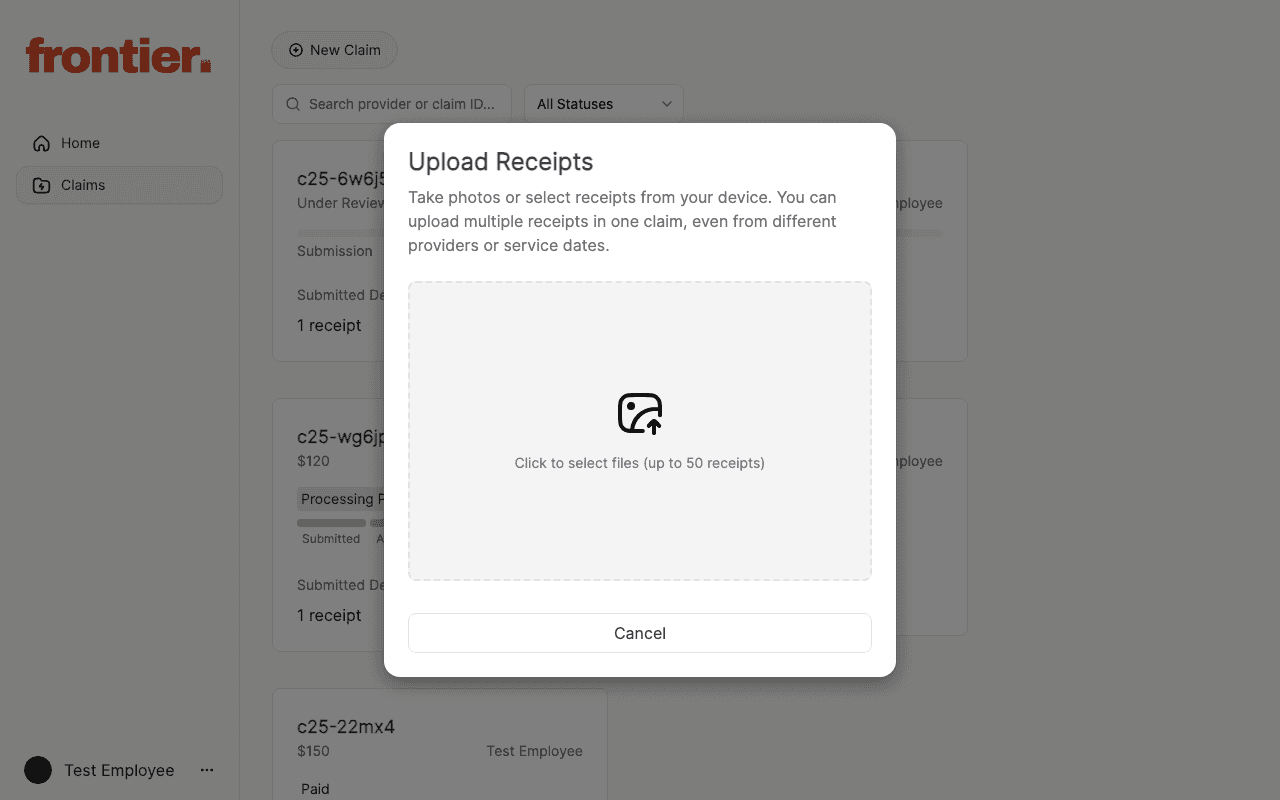
  2. 2.Click New Claim to open the Upload Receipts modal.
  3. 3.Select receipt files (up to 50) and review the submission details.
  4. 4.Complete the claim flow and return to Claims to confirm status.

Supporting screenshots

Employee claims list with filters and claim cards.
employee

Employee claims list with filters and claim cards.

Upload Receipts modal used to start a new claim.

employee

Upload Receipts modal used to start a new claim.