Admin Action

Terminate employee coverage

Use the Employees roster to end an employee's Frontier HSA coverage without deleting claim history.

Steps

  1. 1.Open Employees from the admin navigation.
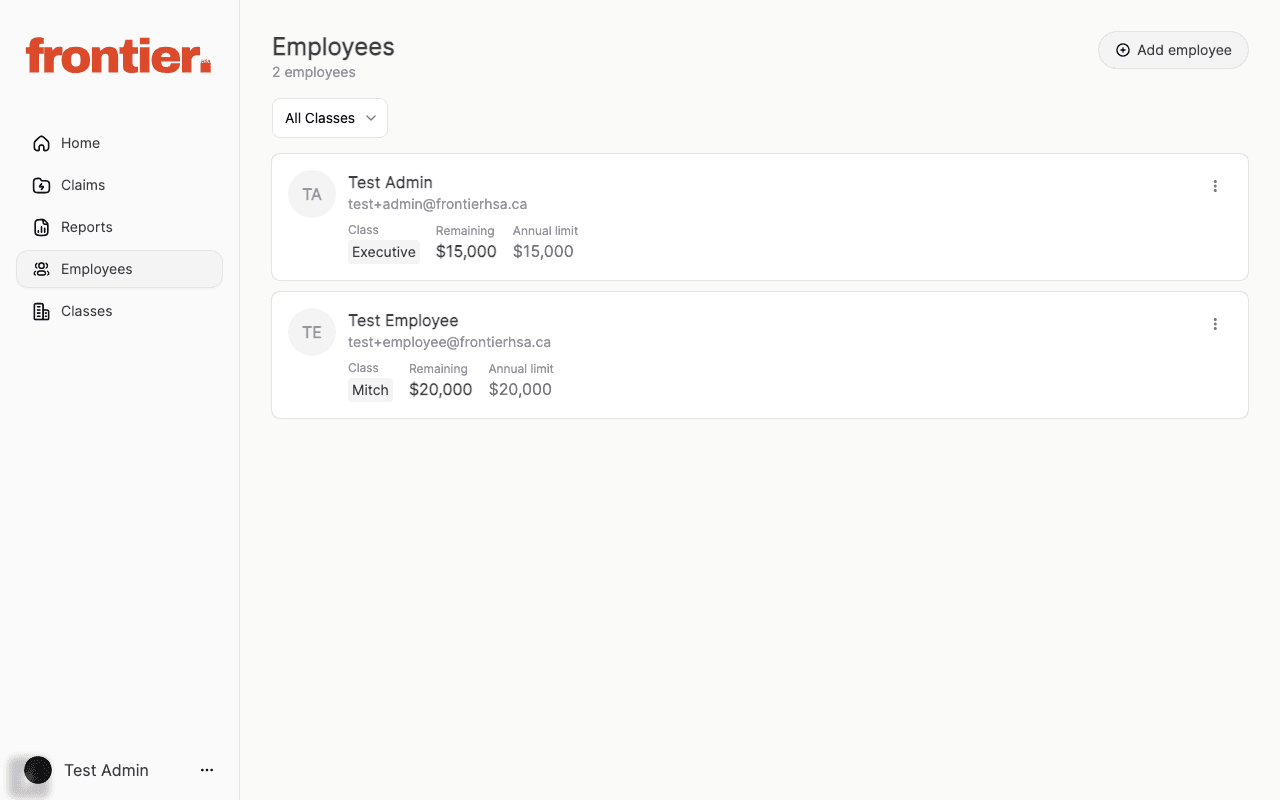
  2. 2.Find the employee and open the action menu on their row.
  3. 3.Click Terminate employee to open the confirmation sheet.
  4. 4.Select the termination date, confirm the checkbox, and submit the termination.

Supporting screenshots

Employee roster with row actions for coverage termination.
admin

Employee roster with row actions for coverage termination.